Switch address API and keep your field names
7 Nov 2026 · 5 min read
When you move to a new address API, the address usually comes back under different names. That can mean changes in your form, in your server code and in your database. If your code already reads names like `address1`, `city` and `postcode`, you can now ask WattleAddr to return the address under those names. Here is what is live today, 7 November 2026.
Two places read the address
The first is your form in the browser. The 6 November post covers that: the widget fills your existing fields. The second is your server, which receives the address, checks it or saves it. This post is about the server.
What you set in the console
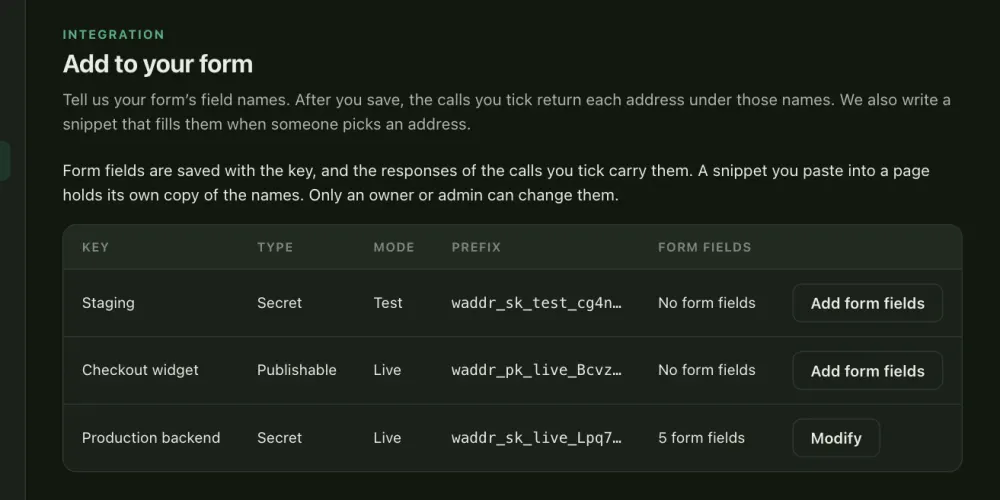
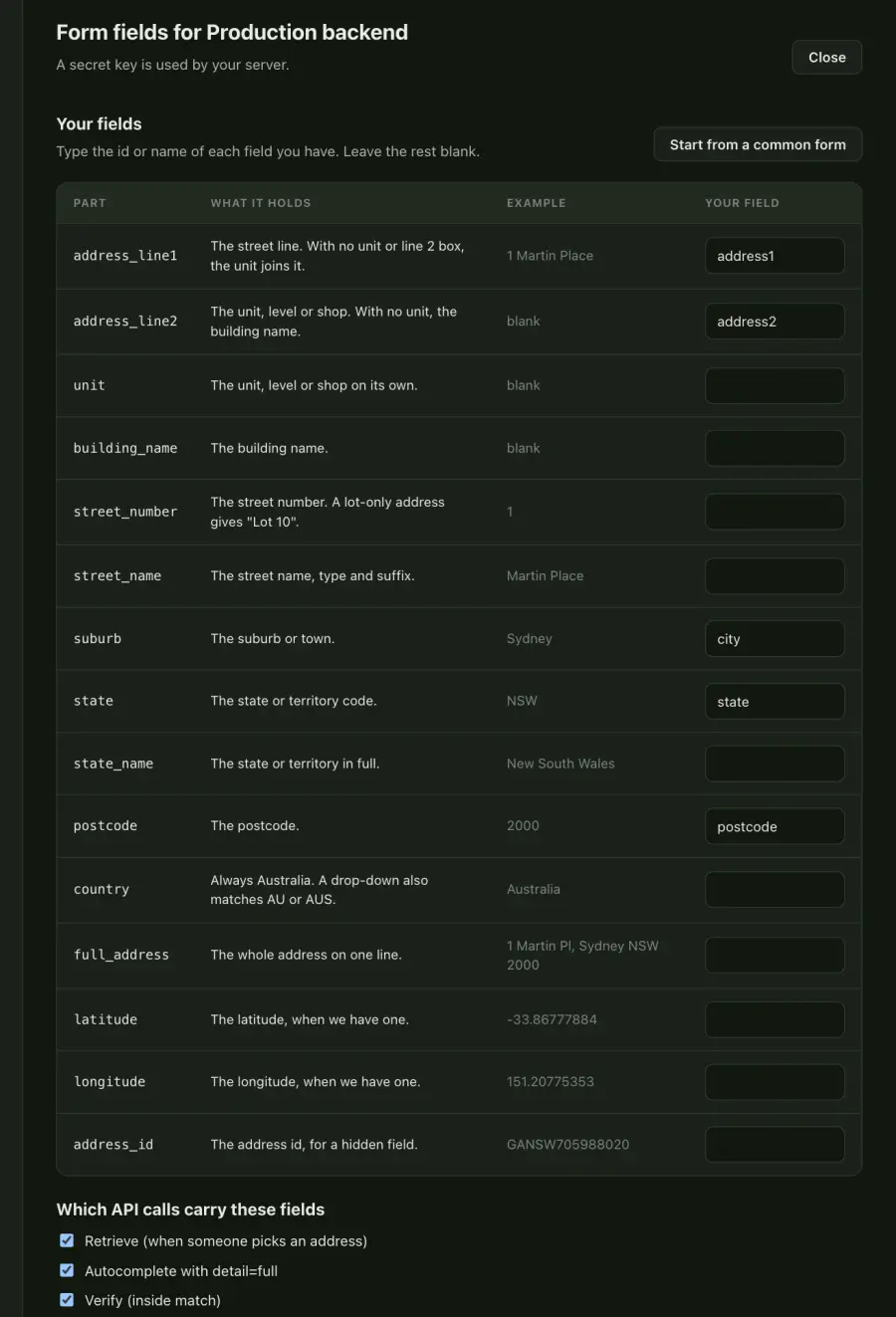
An owner or admin opens Add to your form in the console and picks a key. Next to each address part, they type the name their code uses. Then they choose which calls carry the names: retrieve, autocomplete with `detail=full`, and verify. All three are ticked by default. A change reaches the API within about a minute.
A worked example
Say your checkout server saves an address with the fields `address1`, `address2`, `city`, `state` and `postcode`. The key maps `address_line1` to `address1`, `address_line2` to `address2`, `suburb` to `city`, and `state` and `postcode` to the same names. The person picks a suggestion, and your server retrieves it.
const res = await fetch(
  `https://api.wattleaddr.com.au/v1/addresses/${id}?session=${session}`,
  { headers: { Authorization: `Bearer ${process.env.WATTLEADDR_KEY}` } },
);
const { fields } = await res.json();

// fields has the names your code already uses
await saveAddress(order.id, fields);
This is the part of the response that matters. The address is made up for this post, and `components` is trimmed. Every standard field is still in the response.
{
  "id": "GANSW000000001",
  "formatted": "Unit 5, 23 Smith St, Newtown NSW 2042",
  "components": { … trimmed },
  "fields": {
    "address1": "23 Smith Street",
    "address2": "Unit 5",
    "city": "Newtown",
    "state": "NSW",
    "postcode": "2042"
  },
  "source": "gnaf",
  "gnaf_release": "2026-08",
  "billed": true
}
If you map only `address_line1`, the unit joins line 1 and you get `5/23 Smith Street`. If you map `address_line1` and `address_line2`, you get the two lines above. If you also map `unit`, the unit goes to `unit` and line 2 is an empty string.
What to check before you rely on it
- A part the address does not have comes back as an empty string. Make sure your code and your database accept an empty `address2`.
- Every value is a string, including latitude and longitude if you map them.
- `fields` is a flat object. It does not nest.
- It is on retrieve, on each suggestion in an autocomplete with `detail=full`, and inside `match` in a verify response. It is not on bulk verify, reverse geocoding or suburb and postcode calls.
- Two address parts cannot share one name, and a name can be up to 100 characters.
- Only an owner or admin can save the names. Other roles can look at them and preview them.
Other keys, and what it costs
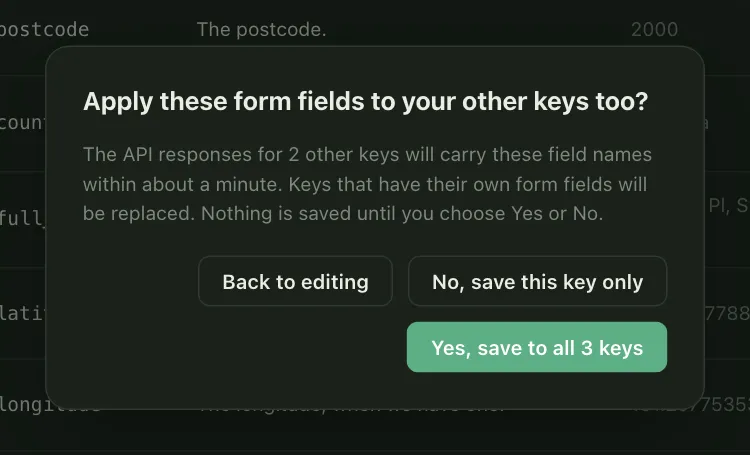
Names belong to one key. Save and apply to other keys copies them to your other keys, after a confirmation that says keys with their own form fields will be replaced. When you rotate a key, the new key keeps its form fields.
Saving form fields does not change what any call costs or how it is counted.
The full guide, with the steps and the limits, is at keep your field names when you switch address API. The reference entry is in the docs, and prices are on the pricing page.