Move to WattleAddr without changing your address form
6 Nov 2026 · 4 min read
Moving to a new address API usually means rewriting the code that copies the picked address into your form. You no longer have to. Tell the console what your fields are called, copy the snippet it writes, and the widget fills them when someone picks an address. Your form, your field names and your database columns stay as they are. Here is what is live today, 6 November 2026.
What it looks like on your form
The person types into your existing address box and picks a suggestion. The widget then fills line 1, line 2, suburb, state and postcode, using the names the form already had.
Set it up in the console
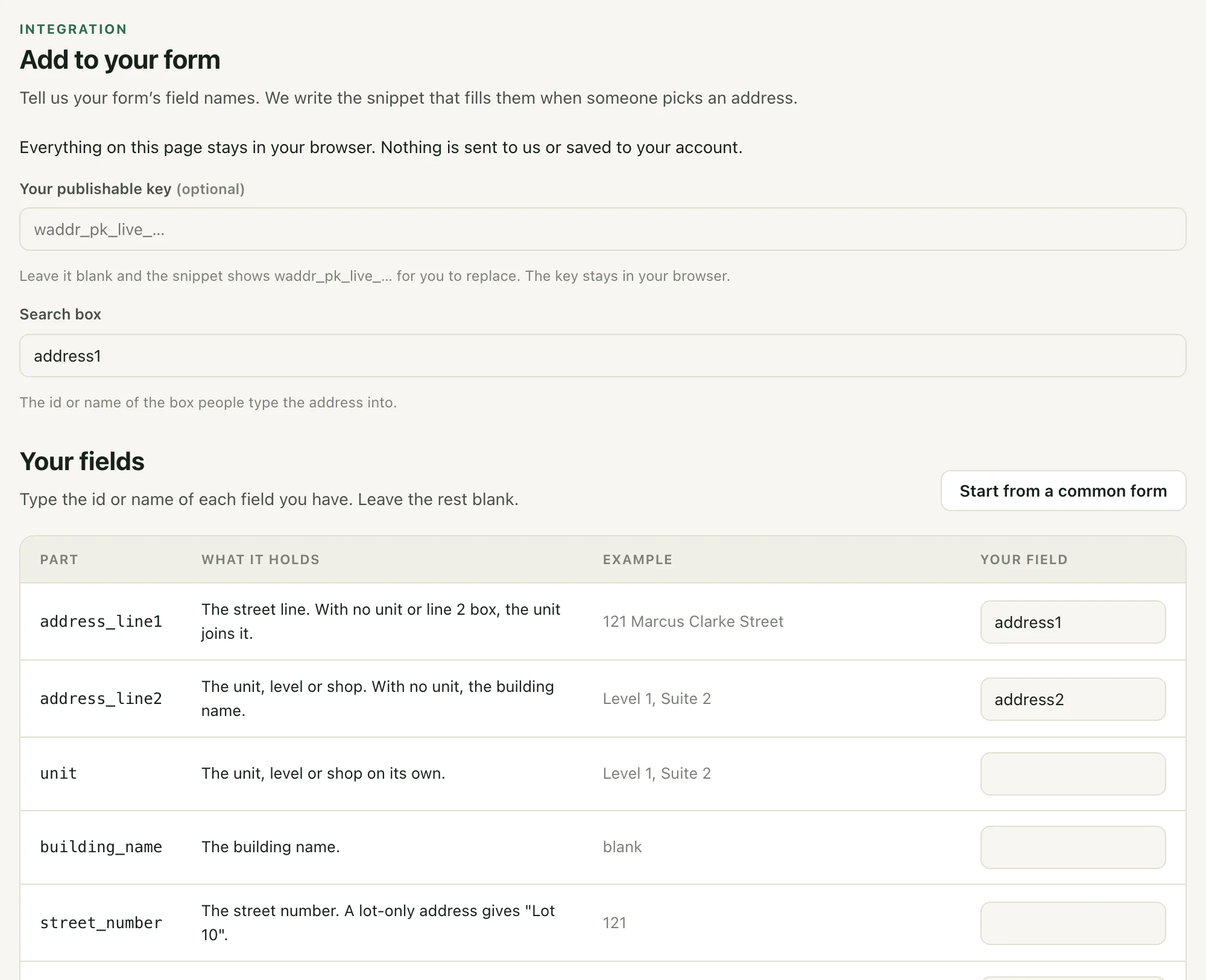
Open Add to your form in the console menu, just below API Keys. Everything on that page stays in your browser. Nothing is sent to us or saved to your account.
- Search box. Type the id or name of the box people type the address into, for example `address1`.
- Your fields. Type the id or name of each field your form has, next to the part it should hold. Leave the rest blank. Start from a common form fills in `address1`, `address2`, `city`, `state` and `postcode` for you to change.
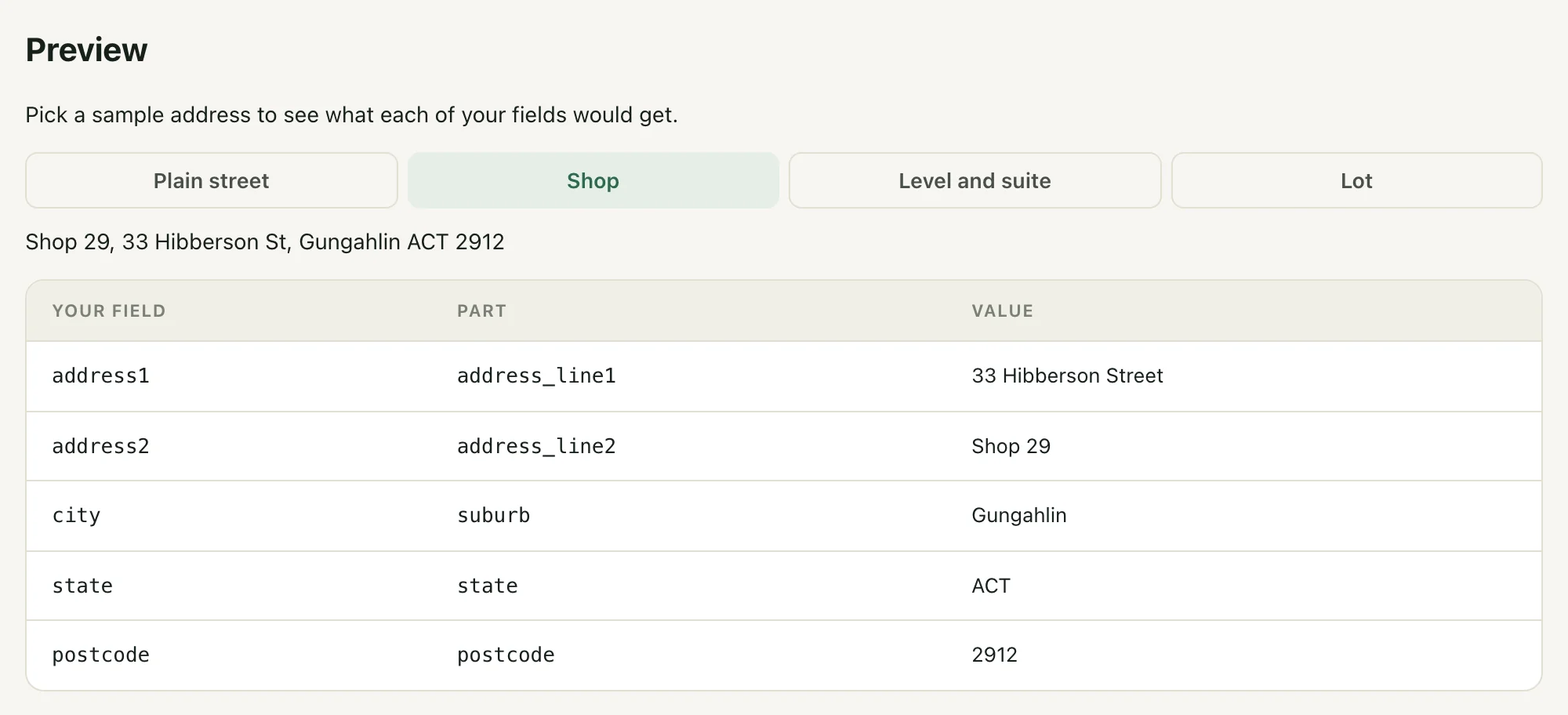
- Preview. Pick one of four sample addresses (a plain street, a shop, a level and suite, a lot) to see what each of your fields would get.
- Your snippet. Copy it and paste it into your page, after the form.
The snippet is one script tag and a few lines. For the common form it looks like this:
<script src="https://api.wattleaddr.com.au/v1/widget.js"></script>
<script>
  var wa = new WattleAddr('waddr_pk_live_…');
  wa.attach(document.getElementById('address1') || document.getElementsByName('address1')[0], {
    fill: {
      address_line1: 'address1',
      address_line2: 'address2',
      suburb: 'city',
      state: 'state',
      postcode: 'postcode'
    }
  });
</script>
Use your publishable key in place of `waddr_pk_live_…`. Try it with a test key on a staging copy first. A publishable key only works on the domains you allowed for it, so add your site on the API Keys page.
The parts you can map
- `address_line1` and `address_line2`: the street line, and the unit, level or shop. With no unit, line 2 gets the building name.
- `unit`, `building_name`, `street_number`, `street_name`: for forms that split the address further.
- `suburb`, `state` (the code, such as NSW), `state_name` (New South Wales), `postcode` and `country` (Australia).
- `full_address`, `latitude`, `longitude` and `address_id`: for a single address box or hidden fields.
The full table, with an example of each part, is in the widget docs.
What it does with units, notes and drop-downs
- No line 2 box. The unit joins line 1: `5/23 Smith Street` for a plain unit, `Shop 29, 33 Hibberson Street` for anything else.
- A note in line 2. If the person typed something like "Leave with concierge", it is never overwritten or cleared. The unit goes into line 1 instead, so it is not lost.
- A saved address. If line 2 already held "Unit 36" when the page loaded and the new address has no unit, the old unit is cleared.
- State drop-downs. The widget picks the option that matches, whether your list uses codes (NSW) or full names (New South Wales). It never picks a value your list does not offer. If your list has no option for the Other Territories (OT), such as Christmas Island, the state is left as it is.
- The widget sets each value the way React expects, then fires input and change events, which jQuery and select2 listeners hear.
- Two forms on one page with the same field names, such as billing and shipping: only the form around the search box is filled.
What it does not change
- The price. Filling your fields uses the address that was already fetched when the person picked it. It makes no extra calls, so a completed address search is still one lookup.
- The API. Responses, sessions and billing are exactly as they were. If you call the API from your own code, nothing changes for you.
- Your data. The mapping lives in your page. We do not store your field names. The console remembers them in your browser only.
Limits
- A form inside another iframe is not filled.
- Values are not shortened to a field’s maximum length, so check your server accepts a long street line.
- The React component does not have this yet. In React, copy the parts in `onSelect` for now.
- A mistyped part name stops the snippet with an error in the browser console as soon as the page loads, so you see it in testing.
Moving from AddressFinder? What changes when you migrate covers the rest: coverage, verification and billing.